What a podcast RSS feed does
RSS is a simple publishing format. For a podcast, a feed typically lists the show title, artwork, episode descriptions, publication dates, and links to audio hosted by the publisher or its media provider. When a new episode appears, the feed changes and an app can refresh its episode list.
That makes RSS useful for learners who want to bring a familiar show into one practice routine. It is also more direct than treating a random website page as a podcast source: the feed identifies the show and its episodes in a structured format.
How to add a show in LearnPod
- Search by podcast title or paste a public RSS URL.
- Use an Apple Podcasts link if you have one; LearnPod can resolve the show before using the same preview path.
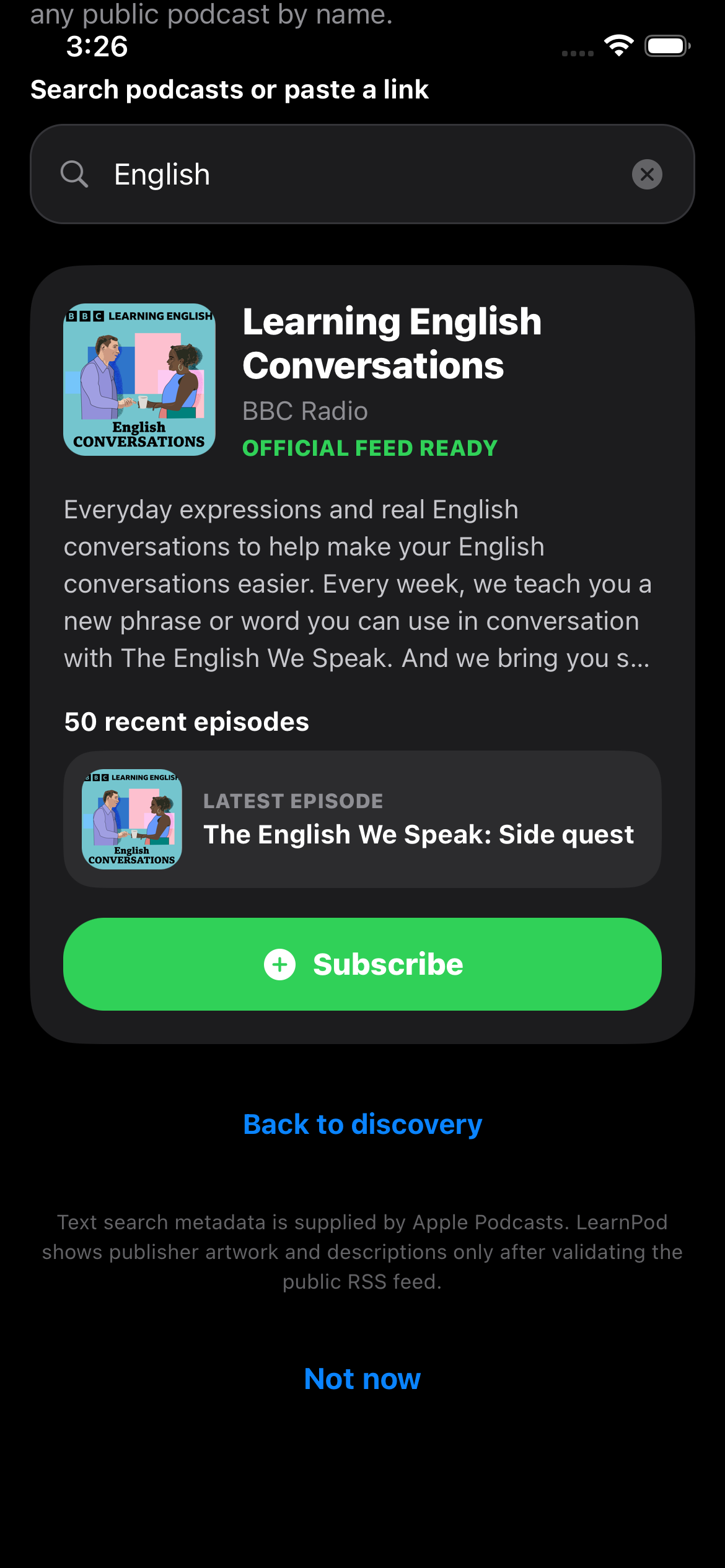
- Review the feed preview. Check the publisher name, description, and recent episodes before you subscribe.
- Listen from the publisher source. LearnPod keeps the show and your progress together on iPhone while audio remains at its publisher-provided location.
Why previewing matters
A search result is not the same as a subscription. Podcast names can be similar, feeds can change, and the right source should be clear before it is saved. LearnPod resolves searches and supported Apple Podcasts links to a canonical public feed URL, then runs that through the same preview used for a directly pasted feed.
For safety and clarity, LearnPod does not use arbitrary web-page RSS autodiscovery. If a link is an ordinary webpage rather than a feed, the app gives guidance instead of quietly fetching and subscribing to an unknown source. Unsafe, missing, and non-HTTPS feed URLs are not imported.
Use RSS to make a sustainable practice list
Start with one or two shows. Pick a consistent release schedule and a subject you would hear about even if you were not studying English. Once that feels easy, add another format: a short news explainer, a conversation, or a story. The point is not to collect feeds; it is to build a listening habit you will return to.
Next, read how LearnPod works, or use the guide to learn English with podcasts to turn a saved show into a repeatable routine.